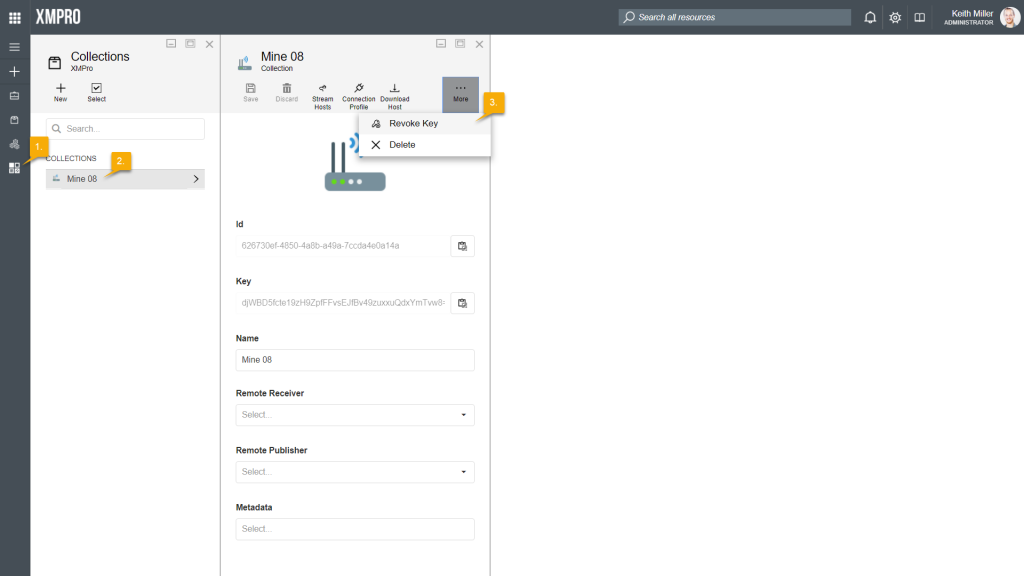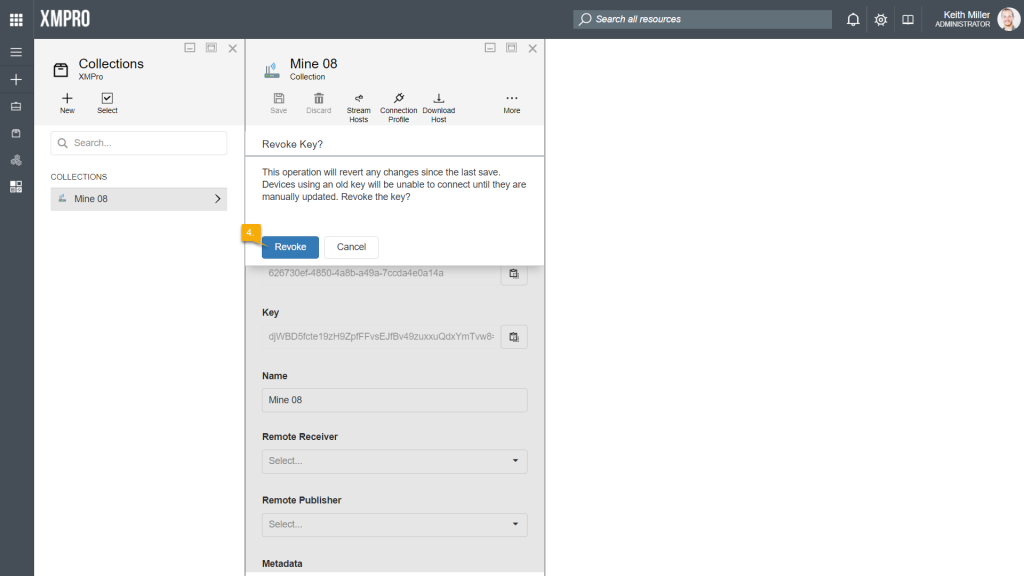
It might be needed to replace or change the key that is associated with a collection from time to time. To replace a key with a new one, follow the steps below:
- Open the Collections page from the left-hand menu.
- Select the collection from the list.
- Click on Revoke Key.
- Confirm that you would like to revoke the key. After clicking Revoke, the key will be replaced with a new key.